
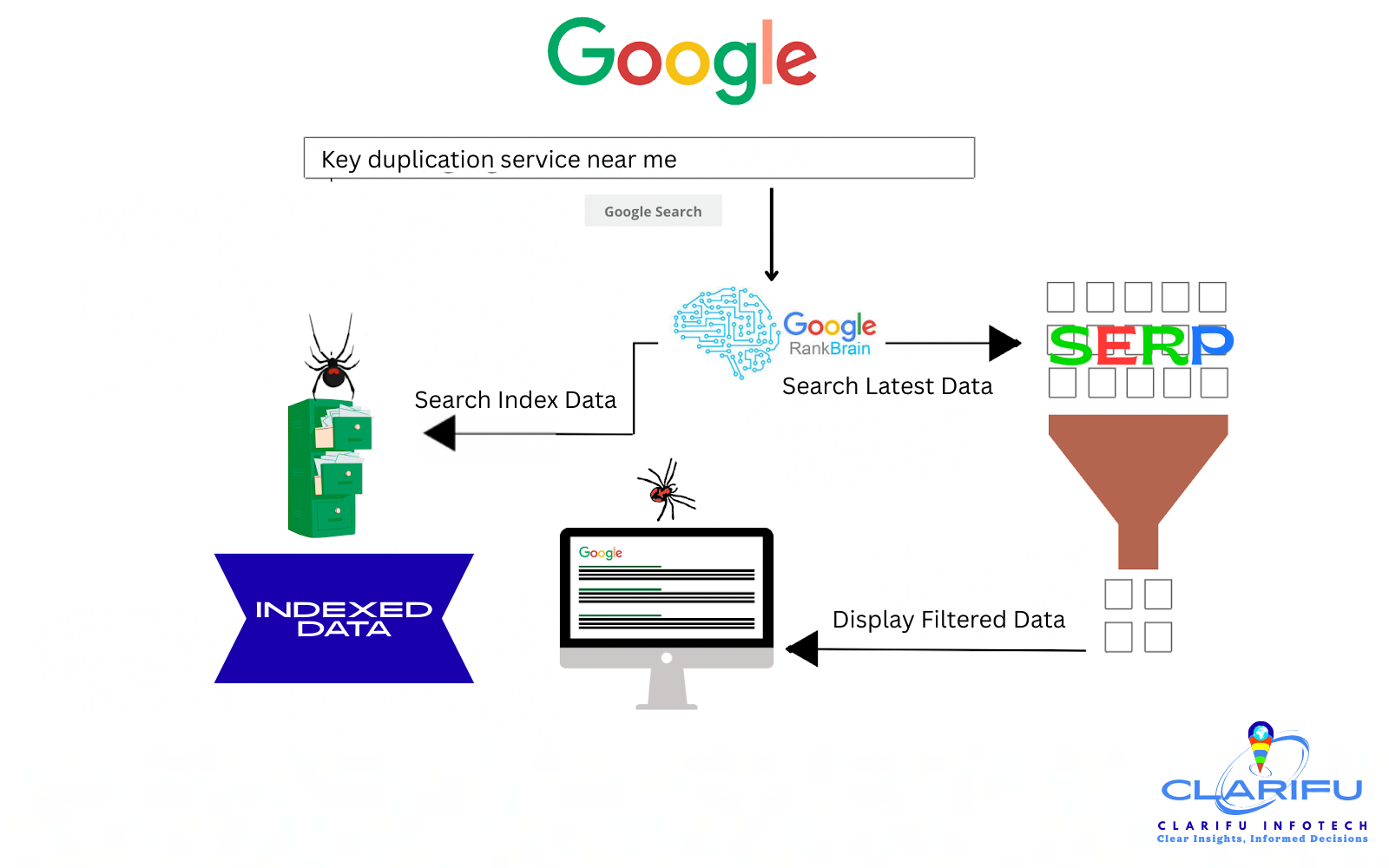
Indexing a web page in Google is crucial for improving
visibility, driving organic traffic, and increasing online presence. In this
comprehensive guide, we’ll explore the various methods to index a web page,
common issues, workarounds, and popular plugins to help you achieve your
indexing goals.
Methods to Index a Web Page in Google
1. Google Search Console (GSC):
Submit your website and sitemap to GSC to expedite indexing.
2. XML Sitemap Submission: Submit
your XML sitemap to Google to help them understand your website’s structure.
3. Robots.txt File: Ensure your
robots.txt file is correctly configured to allow Googlebot to crawl and index
your pages.
4. Internal Linking: Use internal
linking to help Google discover and index new pages.
5. Social Media Sharing: Share
your content on social media platforms to increase visibility and drive
traffic.
6. Ping Google: Use the
"Ping Google" tool to notify Google of new or updated content.
7. Manual Submission: Manually
submit your URL to Google using the "Submit URL" feature.
Typical Issues with Indexing
1. Crawl Errors: Googlebot
encounters errors while crawling your website.
2. Duplicate Content: Google
indexes duplicate versions of your content.
3. Canonicalization Issues:
Google struggles to identify the preferred version of your content.
4. Slow Page Speed: Googlebot
takes too long to crawl and index your pages.
5. Mobile-Friendliness: Google
struggles to crawl and index your mobile-friendly pages.
Workarounds for Indexing Issues
1. Fix Crawl Errors: Identify and
fix crawl errors using Google Search Console.
2. Use Canonical Tags: Implement
canonical tags to specify the preferred version of your content.
3. Optimize Page Speed: Improve
page speed by optimizing images, minifying code, and leveraging browser
caching.
4. Ensure Mobile-Friendliness:
Ensure your website is mobile-friendly and responsive.
5. Use 301 Redirects: Use 301
redirects to permanently redirect duplicate or outdated content.
Popular Plugins for Indexing
1. Yoast SEO: A popular WordPress
plugin for optimizing and indexing your content.
2. All in One SEO Pack: A
comprehensive WordPress plugin for optimizing and indexing your content.
3. Google XML Sitemaps: A
WordPress plugin for generating and submitting XML sitemaps.
4. Pingomatic: A WordPress plugin
for pinging Google and other search engines.
5. SEO Optimizer: A WordPress
plugin for optimizing and indexing your content.
Forcing Indexing: A Last Resort
In some cases, you may need to force indexing to get your
content indexed quickly. This can be done using the "Fetch as Google"
feature in Google Search Console. However, use this feature sparingly, as
excessive use can lead to penalties. Additionally, you can use the
"Request Indexing" feature in Google Search Console to request
indexing for a specific URL. At Clarifu Infotech, we understand the importance
of a well-planned SEO strategy for indexing and ranking your website. Our team
of SEO experts can help you:
– Develop a customized SEO Plan
tailored to your business goals
– Optimize your website’s
structure, content, and technical aspects for improved indexing and ranking
– Monitor and analyze your
website’s performance using advanced tools and techniques
– Implement effective link
building and content marketing strategies to drive organic traffic
By partnering with Clarifu Infotech, you can ensure that
your website is optimized for indexing and ranking, driving more traffic,
leads, and sales for your business. Ready to improve your website’s indexing
and ranking? Contact Clarifu Infotech today to learn more about our SEO
services!