
How to Create a WordPress Sitemap for Better SEO and Faster Google Indexing
If you want your website pages to appear in Google search results quickly, creating a sitemap is one of the first technical SEO tasks you should complete.
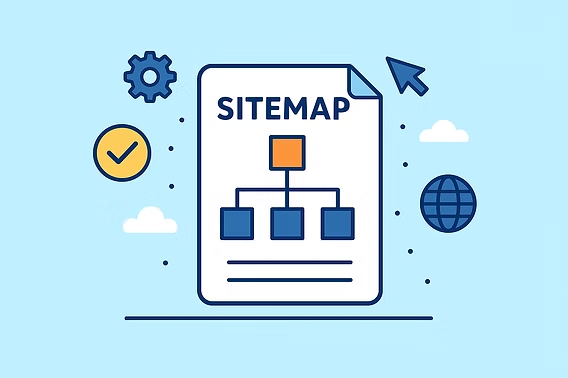
A sitemap acts like a roadmap for search engines, helping Google understand your website structure and discover new pages, blog posts, products, and services more efficiently.
Whether you run a business website, an eCommerce store, or a blog, having a properly configured WordPress sitemap can significantly improve crawl efficiency and indexing speed.
What is a Sitemap?
A sitemap is a file that contains a list of important URLs on your website. It helps search engines understand:
- Which pages exist on your website
- How pages are connected
- Which pages are most important
- When pages were last updated
Without a sitemap, search engines rely solely on internal links to discover content, which can delay indexing for newer or deeper pages.
Types of Sitemaps
XML Sitemap
An XML sitemap is designed for search engines such as Google and Bing. It contains technical information about your URLs and helps search engines crawl your website more effectively.
HTML Sitemap
An HTML sitemap is designed for visitors and improves website navigation by displaying an organized list of pages and categories.
For SEO purposes, the XML sitemap is the most important.
Does WordPress Create a Sitemap Automatically?
Yes.
Starting with WordPress version 5.5, WordPress automatically generates a basic XML sitemap for your website. You can access it by visiting:
However, the default sitemap offers limited customization options and may not be ideal for larger websites or businesses that require more control over indexing.
Method 1: Create a Sitemap Using Yoast SEO
This is one of the most popular methods.
Steps:
- Install and activate the Yoast SEO plugin.
- Navigate to:
- Dashboard
- Yoast SEO
- Settings
- Enable XML Sitemaps.
- Click “View XML Sitemap”.
Your sitemap will usually be available at:
Yoast automatically updates the sitemap whenever new content is published.
Method 2: Create a Sitemap Using Rank Math
Rank Math is another excellent SEO plugin that automatically generates XML sitemaps.
Steps:
- Install Rank Math.
- Open:
- Rank Math
- Sitemap Settings
- Enable sitemap generation.
- Configure:
- Posts
- Pages
- Categories
- Products
- Custom Post Types
Your sitemap will generally be available at:
Method 3: Use WordPress Default Sitemap
For smaller websites, the built-in WordPress sitemap may be sufficient.
Simply visit:
No plugins are required.
How to Submit Your Sitemap to Google Search Console
Creating a sitemap is only half the job. You should also submit it to Google.
Step 1:
Login to Google Search Console.
Step 2:
Select your property.
Step 3:
Navigate to:
Indexing → Sitemaps
Step 4:
Enter your sitemap URL:
sitemap_index.xml
Step 5:
Click Submit.
Google will start crawling your website and indexing your pages more efficiently. Hostinger and SEO experts recommend submitting XML sitemaps to improve discoverability and indexing speed.
Should You Add Your Sitemap to robots.txt?
Yes.
Adding your sitemap location inside the robots.txt file helps search engines discover it automatically.
Example:
User-agent: *
Allow: /

Sitemap: https://yourdomain.com/sitemap_index.xml
This is considered an SEO best practice.
Common Sitemap Mistakes to Avoid
❌ Including noindex pages
❌ Adding duplicate URLs
❌ Forgetting to update sitemaps
❌ Blocking sitemap access in robots.txt
❌ Submitting broken URLs
❌ Including staging or development pages
Why Sitemaps Matter for SEO
A properly configured sitemap helps:
✅ Faster indexing of new pages
✅ Better crawl efficiency
✅ Improved discovery of deep pages
✅ Easier management of large websites
✅ Better visibility in search engines
For websites that regularly publish blogs, products, case studies, or service pages, a sitemap becomes an essential part of technical SEO.
How Clarifu Infotech Helps
At Clarifu Infotech, we help businesses implement technical SEO best practices including:
- XML Sitemap Creation
- Google Search Console Setup
- SEO Audits
- Website Indexing Optimization
- Crawl Error Resolution
- Technical SEO Improvements
- WordPress SEO Optimization
Our goal is simple: help search engines find, crawl, and rank your website more effectively.
Final Thoughts
A sitemap may seem like a small technical detail, but it plays a major role in helping search engines understand your website.
If your pages are not getting indexed or your new blog posts take weeks to appear in Google, reviewing your sitemap setup should be one of the first steps in your SEO checklist.
Need help with technical SEO or WordPress optimization?
Contact Clarifu Infotech and let our experts ensure your website is fully optimized for search visibility and long-term organic growth.